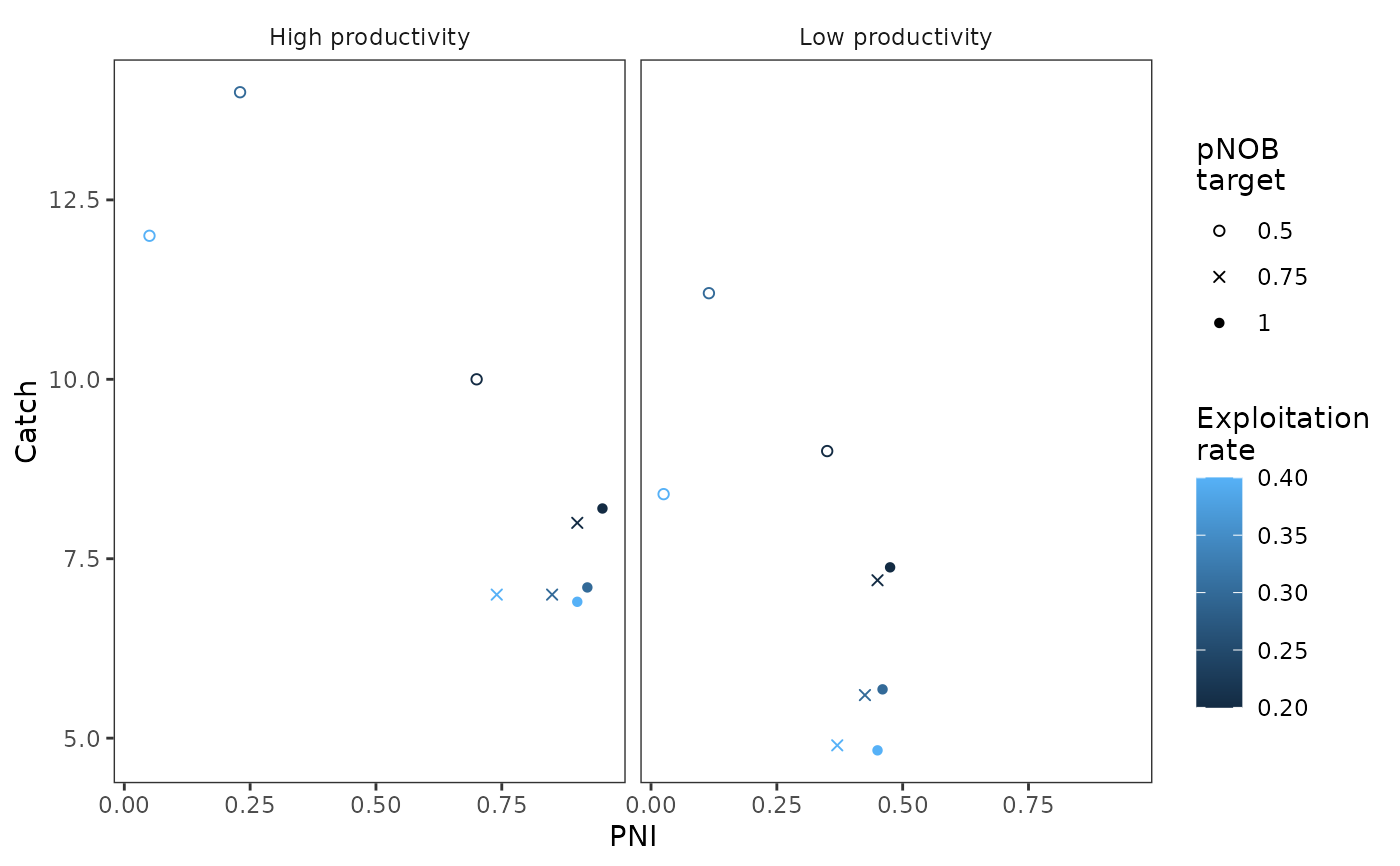
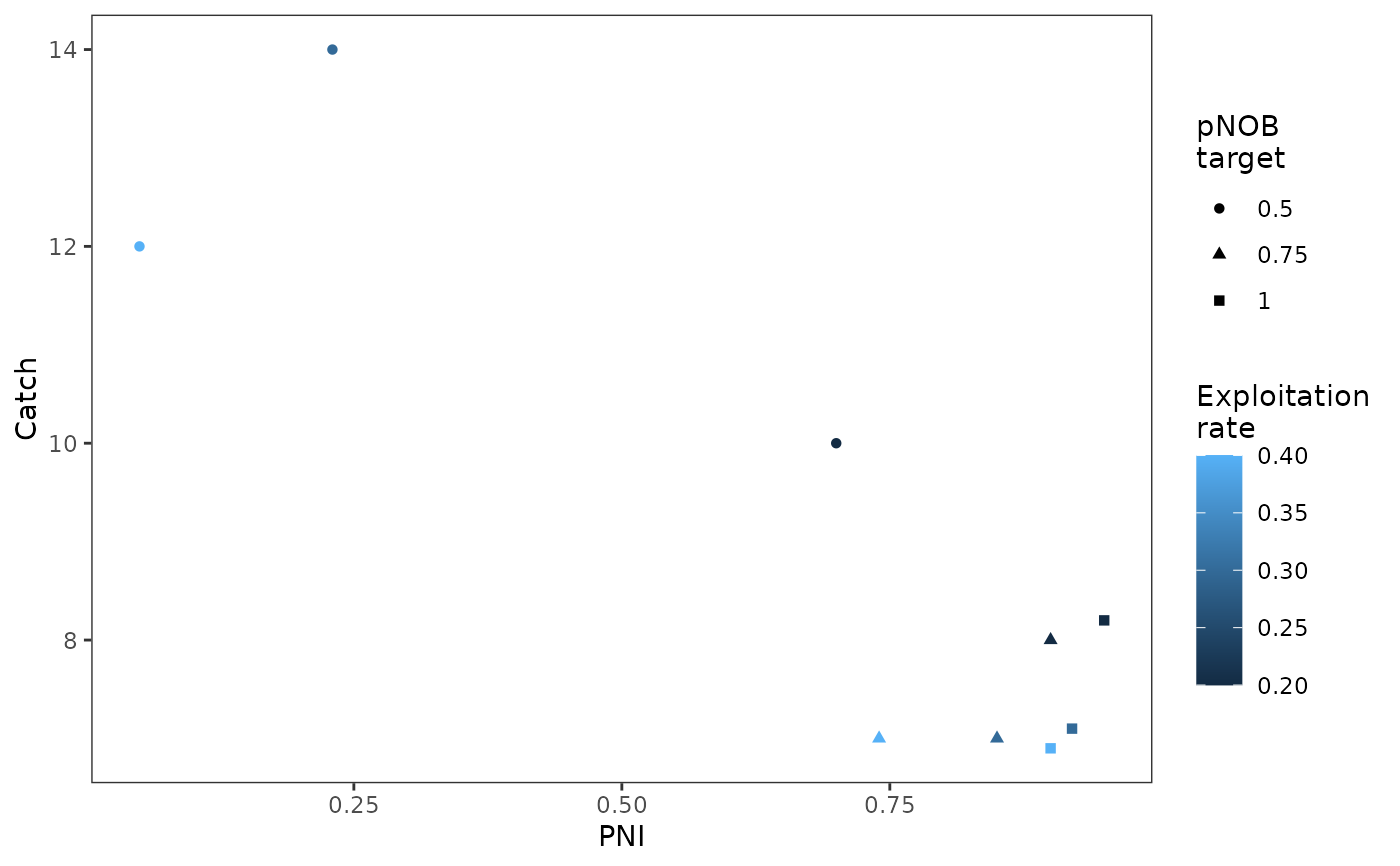
Generates a tradeoff figure, a comparison between two performance metrics, across two variables which may represent a population dynamics variable (e.g., productivity) or a management action (e.g., hatchery production levels or harvest strategy). See example at https://docs.salmonmse.com/articles/decision-table.html
Usage
plot_tradeoff(
  pm1,
  pm2,
  x1,
  x2,
  xlab,
  ylab,
  x1lab,
  x2lab,
  scenario,
  scenario_rows,
  scenario_cols,
  ncol = NULL,
  dir = "v",
  add_letters = FALSE
)
Arguments
- pm1
Numeric or matrix. A vector of values for the first performance metric on the x-axis. Alternatively, provide a three column matrix corresponding to the lower bound, central tendency, and upper bound.
- pm2
Numeric or matrix. A vector of values for the second performance metric on the y-axis (same length as pm1). Alternatively, provide a three column matrix corresponding to the lower bound, central tendency, and upper bound.
- x1
Atomic, vector of values for the first grouping variable. Various levels are represented by colours. Same length as pm1. If numeric, you may want to convert values to factors.
- x2
Atomic, vector of values for the second grouping variable. Various levels are represented by shapes. Same length as pm1. If numeric, will be converted to factors.
- xlab
Character, optional x-axis label
- ylab
Character, optional y-axis label
- x1lab
Character, optional label for the first grouping variable
- x2lab
Character, optional label for the second grouping variable
- scenario
Atomic, vector of scenario names (same length as
pm1,pm2) used to identify and create separate panels- scenario_rows
Atomic, vector of scenario variables (same length as
pm1,pm2) used to identify the rows in a grid of tradeoff figures. Use withscenario_cols- scenario_cols
Atomic, vector of scenario variables (same length as
pm1,pm2) used to identify the columns in a grid of tradeoff figures. Use withscenario_cols- ncol
Integer, number of columns in the grid, only used if
scenariois provided- dir
Character, either "h" or "v" to describe how the grid of tables should be organized (horizontally or vertically) , only used if
scenariois provided- add_letters
Logical, whether to identify separate panels by letters (only used if scenarios are identified). Helpful for publication-level figures
Examples
# Single tradeoff panel
results <- data.frame(
PNI = c(0.7, 0.23, 0.05, 0.9, 0.85, 0.74, 0.95, 0.92, 0.9),
Catch = c(10, 14, 12, 8, 7, 7, 8.2, 7.1, 6.9),
pNOB = rep(c(0.5, 0.75, 1), each = 3),
ER = rep(c(0.2, 0.3, 0.4), 3),
scenario = "High productivity"
)
plot_tradeoff(
pm1 = results$PNI,
pm2 = results$Catch,
x1 = results$ER,
x2 = results$pNOB,
xlab = "PNI",
ylab = "Catch",
x1lab = "Exploitation\nrate",
x2lab = "pNOB\ntarget"
)
 # Multiple panels, continuing from above code
results_low <- results
results_low$scenario <- "Low productivity"
results_low$PNI <- 0.5 * results$PNI
results_low$Catch <- c(0.9, 0.8, 0.7) * results$Catch
results_all <- rbind(results, results_low)
g <- plot_tradeoff(
pm1 = results_all$PNI,
pm2 = results_all$Catch,
x1 = results_all$ER,
x2 = results_all$pNOB,
xlab = "PNI",
ylab = "Catch",
x1lab = "Exploitation\nrate",
x2lab = "pNOB\ntarget",
scenario = results_all$scenario
)
# Change legend with ggplot2
library(ggplot2)
g + scale_shape_manual(values = c(1, 4, 16))
# Multiple panels, continuing from above code
results_low <- results
results_low$scenario <- "Low productivity"
results_low$PNI <- 0.5 * results$PNI
results_low$Catch <- c(0.9, 0.8, 0.7) * results$Catch
results_all <- rbind(results, results_low)
g <- plot_tradeoff(
pm1 = results_all$PNI,
pm2 = results_all$Catch,
x1 = results_all$ER,
x2 = results_all$pNOB,
xlab = "PNI",
ylab = "Catch",
x1lab = "Exploitation\nrate",
x2lab = "pNOB\ntarget",
scenario = results_all$scenario
)
# Change legend with ggplot2
library(ggplot2)
g + scale_shape_manual(values = c(1, 4, 16))